-
Site Explorer
- Majestic
- Summary
- Ref Domains
- Backlinks
 New
New- Lost
- Context
- Anchor Text
- Pages
- Topics
- Link Graph
- Related Sites
- Advanced Tools
- Author ExplorerBeta
- Summary
- Similar Profiles
- Profile Backlinks
- Attributions
- Compare
-
Link Tools
- My Majestic
- Recent Activity
- Reports
- Campaigns
- Verified Domains
- OpenApps
- API Keys
- Keywords
- N-grams Near Links
- Keyword Checker
- Search Explorer
- Link Tools
- Bulk Backlinks
- Neighbourhood Checker
- Submit URLs
- Experimental
- Index Merger
- Link Profile Fight
- Mutual Links
- Solo Links
- PDF Report
- Typo Domain
- TLD Checker New
- Free SEO Tools
- Support


Stop designing SEO pages as AI encyclopedias
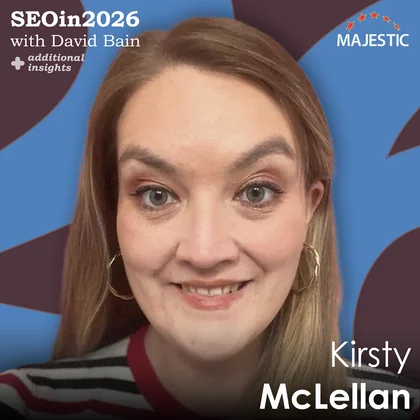
Kirsty McLellan
Kirsty McLellan highlights the need to balance AI optimization with user-centric strategies, advocating for structured content that is digestible and engaging.
« Back to Additional insights
More Additional Insights



Kirsty says: “My number one tip for 2026 is that SEO pages shouldn't be built as AI encyclopaedias. They should be designed with clear, human-first experiences that help users decide.
We're seeing, with the new focus on AI and chasing AI visibility, that pages are being designed with only AI in mind. If we do that in 2026, we're not going to see pages that win.”
How do you design a page for AI and humans?
“It's a very complicated question, but AI is trying to be as useful for humans as possible. So really, when we're designing content, that's what we should have in mind.
What we're seeing at the moment is brands chasing that visibility. What they're doing is trying to re-answer every single prompt question that could possibly be asked, and that means that these pages that are being created are really, really long. They're very heavy on content, it's very educational content, and that doesn't necessarily work for a user.
A user needs a page that they land on that is digestible. It's easy to find the right information. There's a clear next step. When we're trying to design for AI and humans, it's finding that balance. We have to answer the right questions, not all of the questions.”
Are we not heading to a place where our content is consumed primarily on AI search engines, and therefore, perhaps there's an argument to design just for AI, and then AI will pick out the sections that are right (it believes) for the human?
“Potentially, eventually. I think we're in that limbo period at the moment.
When we do user surveys and questionnaires, we see that there is still an adjustment period for when AI is used and when it's not used. It's often used as a research tool/a clarifier, but a lot of users still aren’t confident to do their full journey within AI. They want to be able to go to a trusted website or the brand of their choice and then continue their journey there.
That might evolve over time, but in the current space, we still need to be thinking about how the users are consuming content on our websites as well.”
64-million-dollar question: In your opinion, how long is this limbo period going to last?
“It's really complex. It depends on how the AI evolves. I think there's still quite a lot of lack of trust within users for how they're using AI and the information that's being consumed. They still want that validation.
I think it's probably a couple of years away until we’re fully embedded into that full AI user behaviour, and we have the trust to go from research to purchase completion within that process. I just think there'll be a lot of hiccups along that way, and it all depends on the type of user that's willing to adapt to that.
You might see younger generations adapting quicker, but I think for the next couple of years, we're probably in that process of transitioning over.”
Okay, so we’ve got to design our pages for both AI and humans.
You mentioned that the content tends to be quite lengthy when we're trying to optimize for AI. Do we need to cut the length of our content to actually appeal better to humans?
“What we find is that long content doesn’t appeal to users, especially if it is a text wall. I think you can keep that long-form content, but you've got to be more structured in how you present that – thinking about creating that page and making sure you can find an answer really quickly.
That might be having really clear indexes, jump links, titles, etc., and thinking about how humans consume data as well. We don't love reading lots. We don't want to sit there and trace through everything. We want bullet points, easy comparison tables, and visuals that support the page that we're on, which are actually all things that AI really loves as well.
You are hitting a lot of the tick boxes from their point of view, but with a lot of that content, it’s the structure that we need to focus on.”
You mentioned jump links as a good way of getting into the piece of content that is precisely relevant to the answer that the user is looking for. However, you also talked about shorter content being more likely to appeal to humans.
Are we better off really optimizing for very long keyword phrases, but also ensuring that our content is on individual URLs as a piece of best practice, and keeping our answers short, our pieces of content short, but having more web pages?
“I think there are pros and cons to both. If the questions your users are trying to answer are quite connected, then a disjointed journey with lots of pages can feel difficult, and it can cause early exit or bounce from pages, if they don't think the information they're looking at is relevant or serving their needs.
Having a central hub page that certainly answers the common FAQs that come up, and then supporting pages, is probably the preferential route.”
Would you ever advocate designing separate pages for AI and humans, or does that just send mixed signals?
“I think that sends really mixed signals.”
Yeah.
“I think it’s complicated. AI is not going to really tell the difference between what pages are for it and what pages are for the user, so I think you could confuse your content, and it might impact your visibility negatively from an AI point of view.”
Okay. Can we talk about a few elements that are great to incorporate within your pages, for both humans and AI, to try and optimize your pages for both?
“Yeah, definitely. I think there are some really practical and quite easy things that we can be doing with our content, and that's taking a step back before you start your content and going, ‘What is my user's intent?’
Really clarify that piece so that, when you go to create it, every point you're going, ‘Does this serve my user?’
Then, when we go into create that page, it’s starting with the structure. It's going, ‘Right, okay, where are my key messages going to be? What visuals am I going to need to support? What text formats should I be using? Does it best fit a table? Does it best fit bullet points?’ – and then building that page into quite digestible sections.
So, it’s thinking about summaries (which both AI and humans love thinking about). How is your user making their next step? Thinking about those navigational elements. We don't necessarily want to land our user on a page that doesn't go anywhere. They have an action that they're trying to do, so thinking about whether it's a clear CTA, or are there micro events or navigation elements that you need within the page?
We should stop hoping that a user is going to scroll and make a decision at the end of it. It needs to be a more guided process through that journey.
The final step is, when you have created that page and that content, take a step back and go, ‘Okay, if I were to land on this page cold, would I know what to do?’ Just take that moment to go, ‘Okay, how have I served the intent I said this page was set out for?’”
That sounds like a use case for a website that I used to use called usertesting.com, where you can get people who haven't been customers and haven't used your website before, to actually go on your site, crawl your site, and record a video of that experience, landing on that page for the first time.
Is that something that you tend to use, a similar process like that, to assist you with directing you on what to enhance for existing content?
“A hundred per cent. My background is conversion rate optimization, so I'm always going to push that you should do some form of user research when you are creating any page.
For any website experience, you should be getting relevant users to test that. Often, we sit back and go, ‘I think that fulfils the customer need.’ Actually, though, I'm not the regular customer anymore. I work in digital marketing. I'm going to be a lot more savvy with the process. I'm also going to have a number of biases when I go in.
So, making sure that you do use user research tools like usertesting, userlytics, or a number of the other ones that are out there. It's really, really useful to get that result and understand if the user is getting what they need from the page – and you can do that in different forms.
You can do that longer form testing, where you might get a user interview (whether it's moderated or unmoderated) to be able to judge the page experience, but you can also do really quick UX testing as well, around copy, especially, and page design.
You can do 5-second tests, where you could ask a user to recall what they saw on the page, so you can understand if your key message was taken away. You could do a comprehension test to be able to understand if they understood the information that they read. Those are all really helpful things when creating pages and creating content.”
Brilliant advice there. I'd love to come back to the metrics that you look at to try to determine whether or not the changes that you've made on a page have had a positive SEO effect, but just before I do that, the other thing that you mentioned was the phrase ‘you can do this in different forms’.
Talking about different forms, you can incorporate different forms of content on a page. You can use different forms of media on a page as well.
Where does video come into this, and perhaps imagery as well? How does AI see imagery, and how do you optimize for humans and AI when it comes to different forms of media?
“You've got to remember that AI is reading your page. A lot of the time, they're taking your visuals as alt descriptions. So, having your basics of SEO in there, making sure everything on your page is labelled correctly, is really vital.
The videos we haven't really seen play too much into AI. They are really useful for users, though.
Historically, when I first joined conversion optimization (10 years plus now), videos were quite controversial. ‘They take up load time on the page. Users aren't going to interact with them.’ Over those 10 years, that's definitely changed, with social media, and how we consume information has definitely changed.
We see that videos play quite an integral part with users, especially if you are trying to convey a difficult topic or a difficult answer, or to convince them very quickly, videos can be very powerful.”
When's the time and place to use YouTube and embed YouTube on your site, and when to use a more native video platform that makes it more difficult for people to leave your site and view the video on another platform?
“I think the key thing in that sentence is: When do you want a user to leave your site?
If you are trying to get someone on your page to do something (you have an action for them in mind), you probably don't want to be sending them off to watch a video somewhere else or potentially tempting them if you're embedding. But I think it probably depends most on the form of content.
Thinking about what a user needs from that content. If it's short form, it's best placed with you. If it's a longer video, YouTube. Thinking about what content works really well on YouTube, it is influencers, it is reviews, etc. So, thinking about the type of content.
You might use the embedding of YouTube at that point, which gives you that trust and social proof aspect. But if it's a video where it's explaining your product or explaining or answering a question, that's going to be best placed with you, and you have the trust level to be able to provide that video.”
In terms of measuring success, if you're tweaking a page, what metrics do you look at in order to try and determine that you've had some kind of improved success with AI search and humans?
“I’m going to take the humans to start with. There are lots of metrics that we can look at.
It depends on the type of content that you're creating, but in general, when we're looking at content, the thing we're trying to do is get users to engage. So, it's looking at those engagement metrics.
The first thing I would look at is probably looking at our bounce rate or engagement rate to be able to understand, are people interested in the page? Look for pogo-sticking behaviour. Are people leaving that page, going to another page, then coming back? It might suggest that the information isn't as concise as it needs to be, and it needs more supporting information.
Having a look at scroll depth to be able to understand how much of your page a user consumes to be able to find their answer, and if it suggests they're more engaged.
Then, having a look at those interactions. If you're putting micro CTAs, for example, in the page or navigation link, are people moving on and continuing their journey through your site? Then, if it is a page that is designed to lead to a conversion or lead to a lead, how is it affecting that?
We want to not just be looking at SEO from a point of view of what we drive traffic to. We need to be looking at – it's not just driving traffic and ranking; it's that experiential factor, which Google and the other platforms are taking into consideration more and more now. Our rankings are affected by the experience the user has on the page.
AI is a little bit more tricky at the moment. It's quite manual in terms of how we're looking at those effects. We're creating a list of key questions and seeing how highly we rank within AI, in terms of what articles they're bringing back, to be able to understand our presence.”
What's your go-to analytics software and why?
“I think that's so tricky, and it really, really varies.
At the moment, I'm working with quite a lot of people who have Contentsquare (it's one of the partners we work with as well), which is a really interesting tool that sometimes goes slightly beyond where GA goes, and starts to bridge that gap into user understanding and behavioural insights.
It looks at how people interact with every single element on your page, what page they go to next, and where they exit, and it helps bring a more rounded view of not just what's happened. You might be able to go, ‘We had a high bounce rate,’ but GA might not be able to tell you why.
Being able to add in that extra information really informs how we can change content, change your page, and change your web experience to improve that metric.”
Kirsty, what's the key takeaway from the tip you shared today?
“Human-first experiences are going to be what wins for SEO strategy next year.
We can't just create content for AI. The pages need to be designed for real humans. Ironically, I think that gets very lost in the AI messaging at the moment.
Everyone needs to remember that AI is designed to be as helpful as possible for the user, and we need to do the same.”
Kirsty McLellan is an Optimization and UX Partner at Dentsu. Find her over on LinkedIn.
Choose Your Own Learning Style
 Video
Video
If you like to get up-close with your favourite SEO experts, these one-to-one interviews might just be for you.
Watch all of our episodes, FREE, on our dedicated SEO in 2026: Additional Insights playlist.

 Podcast
Maybe you are more of a listener than a watcher, or prefer to learn while you commute.
SEO in 2026: Additional Insights is available now via all the usual podcast platforms
 SEO in 2026
Catch up on SEO tips from 117 SEO experts in the original SEO in 2026 series
Available as a video series, podcast, and a book.
Fresh Index

Unique URLs crawled
194,188,717,434
Unique URLs found
618,052,412,077
Date range
07 Apr 2026 to 05 Aug 2026
Last updated
1 hour 2 minutes ago
Historic Index
Unique URLs crawled
4,502,566,935,407
Unique URLs found
21,743,308,221,308
Date range
06 Jun 2006 to 26 Mar 2024
Last updated
03 May 2024
